 Cartsmith
Checkout rules your customers can't get around.
Hide or rename payment and shipping options, set minimum and maximum orders, and block orders that break your rules. Shopify enforces them at checkout.
Get early access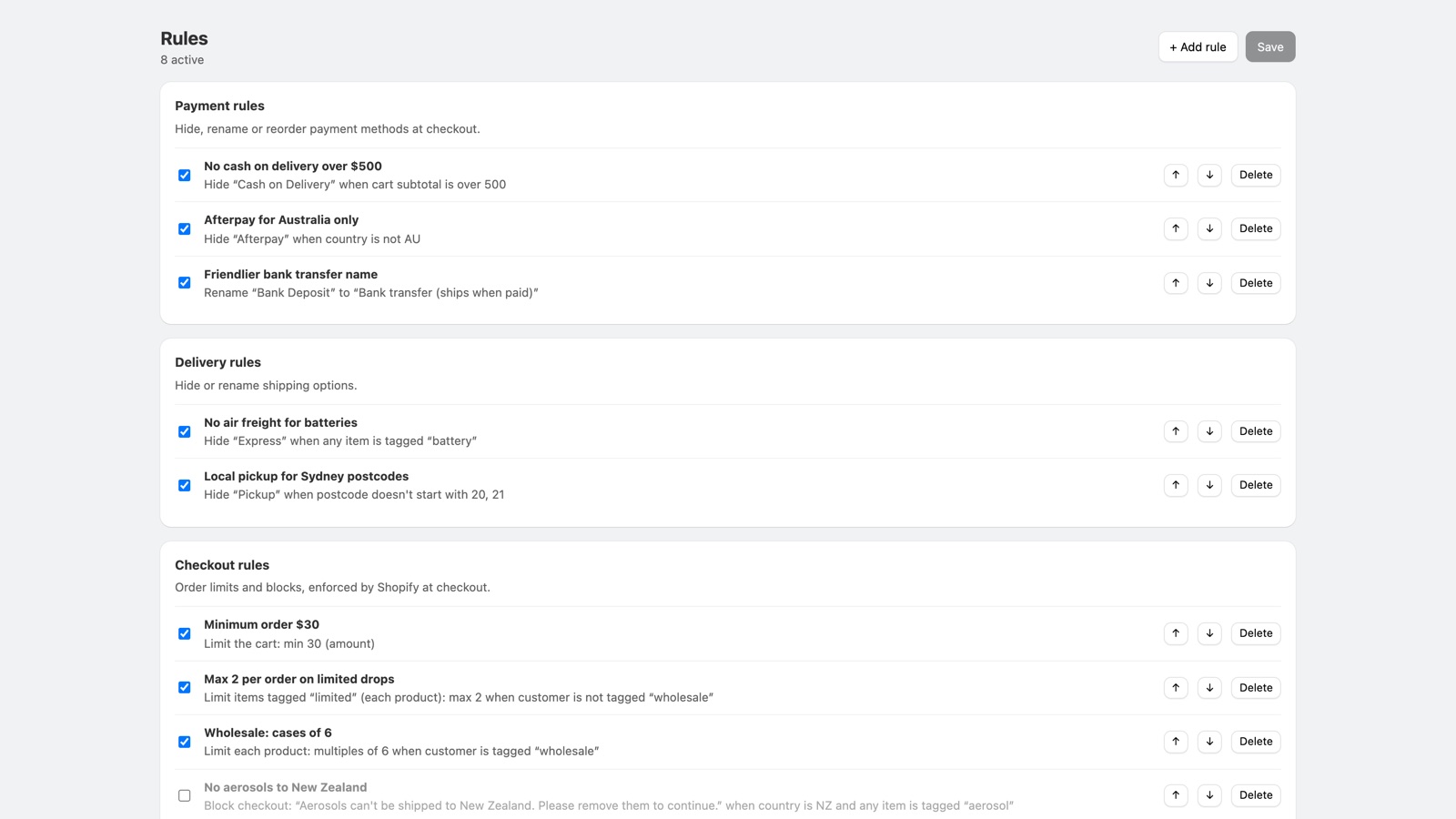
Hide or rename payment and shipping options, set minimum and maximum orders, and block orders that break your rules. Shopify enforces them at checkout.
Get early access
Start from a template or build your own. Each rule can depend on the cart, the address, the products and the customer.
The most common complaints about checkout apps are about broken checkouts and limits that are easy to get around. Cartsmith is built the other way.
Rules run inside Shopify's checkout, so editing the cart page or the checkout link can't get around them.
If your rules would hide every payment method or shipping option, Cartsmith hides none, and if a rule fails, checkout carries on.
Nothing is added to your theme or products, so there is nothing to clean up when you uninstall.
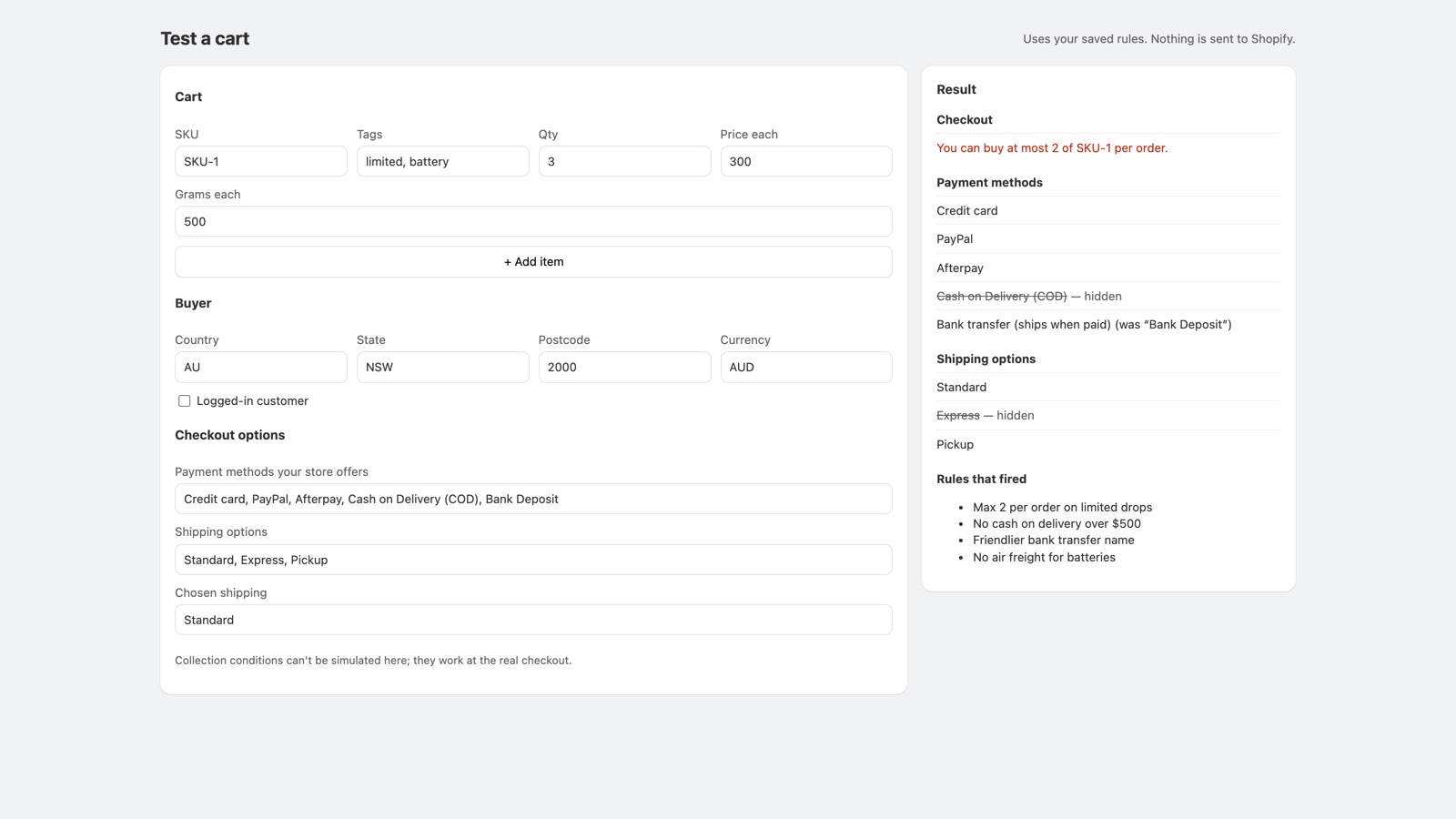
Describe a cart and see which options are hidden, renamed or blocked, before a customer does.
The tester runs the same rules your checkout runs.
A flat monthly price, billed by Shopify. We never take a share of your sales.
No. Rules run as Shopify Functions inside checkout. Nothing is added to your theme or products.
Order limits are checked by Shopify when items are added to the cart and again at checkout, so changing the cart page or the checkout link doesn't help.
Shopify keeps its own label on the card option. Renaming works for other methods, such as bank transfer or cash on delivery.
None on our side. Your rules are saved in your own Shopify store and checkout data stays inside Shopify. See the privacy policy.
Shopify removes Cartsmith's rules from your checkout and cancels any subscription.